


What Features Should You Look for in an ERP HRMS Development Solution?
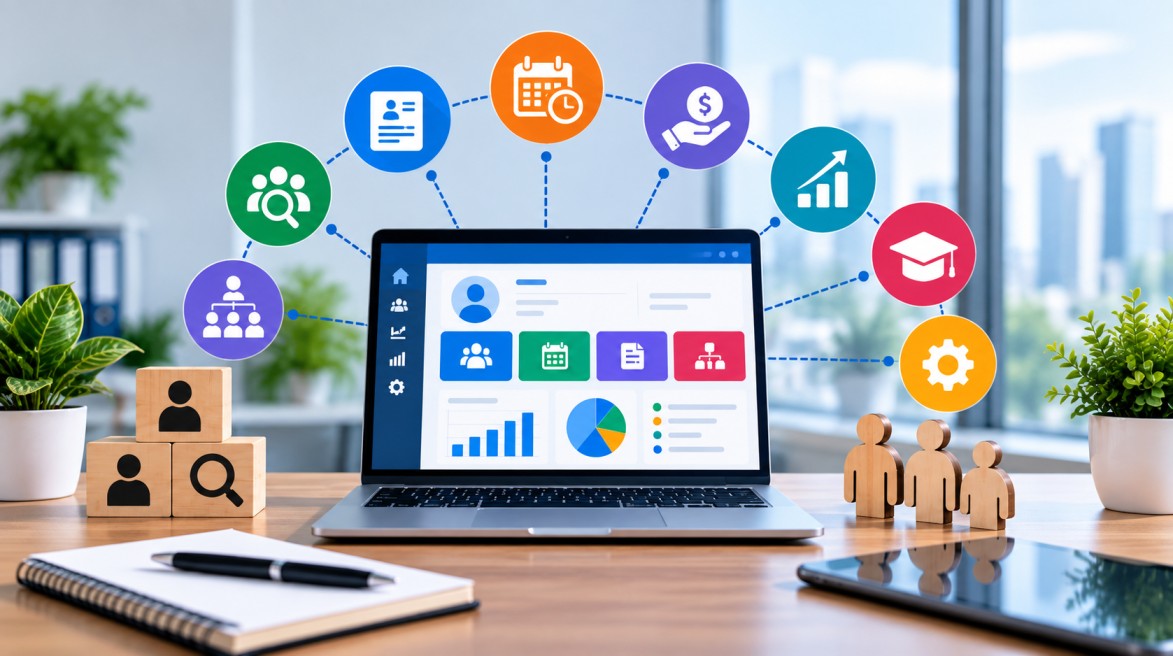
Managing employees, payroll, attendance, recruitment, performance, and business operations through separate systems can quickly become complicated. An ERP HRMS development solution brings these functions together in one centralized platform, helping businesses reduce manual work, improve data accuracy, and make better workforce decisions.
But not every HRMS or ERP solution offers the same capabilities. The right solution should be scalable, secure, easy to use, and aligned with your business processes. So, what features should you look for before investing in an ERP HRMS development solution?
What Is an ERP HRMS Development Solution?
An ERP HRMS development solution combines enterprise resource planning with human resource management functionality. It allows organizations to manage employee information and HR activities while connecting workforce data with other business operations.
A customized solution can be designed around your organization's workflows, reporting requirements, employee structure, and future growth.
Why Do Businesses Need an ERP HRMS Solution?
Traditional HR processes often depend on spreadsheets, paperwork, emails, and disconnected software. This can result in duplicate data, payroll errors, delayed approvals, and limited visibility.
An integrated ERP HRMS can help businesses:
-
Centralize employee information
-
Automate repetitive HR tasks
-
Improve payroll accuracy
-
Track attendance and leave
-
Simplify recruitment
-
Monitor employee performance
-
Generate real-time reports
-
Improve decision-making
The biggest advantage is that HR teams can manage more processes from a single platform instead of switching between multiple systems.
What Features Should an ERP HRMS Development Solution Include?
1. Employee Management
A strong employee management module should maintain complete employee profiles in one centralized database. HR teams should be able to manage contact information, job roles, departments, documents, joining dates, employment history, and other important records.
This creates a reliable source of employee information across the organization.
2. Payroll Management
Payroll automation is one of the most important features of an HRMS solution. The system should support salary calculations, deductions, bonuses, taxes, reimbursements, payslips, and payroll reports.
Automated payroll processing can reduce calculation errors and save HR teams considerable time.
3. Attendance and Leave Management
The solution should make it easy to track employee attendance, working hours, overtime, holidays, and leave requests.
Businesses can also integrate attendance devices, biometric systems, or other tracking solutions with the HRMS to improve accuracy.
4. Recruitment and Onboarding
A modern ERP HRMS should support the complete recruitment process—from job creation to candidate selection and onboarding.
Useful capabilities include:
-
Job posting management
-
Candidate profiles
-
Resume management
-
Interview scheduling
-
Recruitment status tracking
-
Automated onboarding workflows
This helps HR teams create a more organized hiring process.
5. Performance Management
Employee performance management should not depend entirely on manual reviews. An HRMS can help organizations define goals, track KPIs, conduct evaluations, and maintain performance records.
Managers can use these insights to identify high-performing employees and understand where additional training may be required.
6. Employee Self-Service
Employee self-service can significantly reduce the workload of HR departments. Employees should be able to access their profiles, download payslips, request leave, submit expenses, update information, and track approvals.
This improves transparency while allowing employees to handle routine requests themselves.
7. Reporting and Analytics
Data-driven decision-making is essential for modern businesses. Your ERP HRMS should provide dashboards and reports for areas such as:
-
Employee turnover
-
Attendance
-
Payroll expenses
-
Recruitment performance
-
Employee performance
-
Workforce trends
Real-time analytics can help management identify problems and make informed workforce decisions.
8. Role-Based Access and Security
HR systems contain sensitive employee information, so security should be a major priority.
Look for features such as role-based access control, secure authentication, data encryption, audit logs, and permission management. Employees should only be able to access the information relevant to their roles.
9. Integration Capabilities
An ERP HRMS should work with the other systems your business already uses. API support and third-party integrations can connect the HRMS with accounting software, payroll services, attendance devices, CRM platforms, communication tools, and other business applications.
Integration helps eliminate duplicate data entry and creates a more connected business environment.
10. Mobile Accessibility
Employees and managers increasingly need access to business systems outside the office. A mobile-friendly ERP HRMS or dedicated mobile application can allow users to approve leave, check attendance, view payslips, and complete HR tasks from anywhere.
How Can a Custom ERP HRMS Improve Business Operations?
A customized ERP HRMS development solution can be designed according to your organization's exact requirements instead of forcing your processes into a generic platform.
It can help businesses achieve:
Less manual work → Faster HR processes → Better data accuracy → Improved employee experience → Smarter business decisions
Customization is particularly useful for organizations with complex workflows, multiple locations, industry-specific requirements, or plans for long-term expansion.
What Should You Consider Before Choosing an ERP HRMS?
Before starting development, consider your current HR processes, employee count, integration requirements, security expectations, reporting needs, and future growth.
A good solution should be:
-
Scalable as your workforce grows
-
Secure for sensitive employee data
-
Customizable for unique workflows
-
User-friendly for HR teams and employees
-
Integration-ready for existing software
-
Analytics-driven for better decision-making
-
Mobile-friendly for remote accessibility
Choosing features based only on current requirements can create limitations later. Your ERP HRMS should be capable of evolving with your business.
Frequently Asked Questions
How much does ERP HRMS development cost?
The cost depends on the number of modules, customization requirements, integrations, UI complexity, security features, and development approach.
How long does it take to develop an ERP HRMS?
Development time varies according to the project's scope. A basic system may require less time, while a fully customized enterprise solution with multiple integrations can take significantly longer.
Can ERP HRMS integrate with existing business software?
Yes. With APIs and appropriate integration architecture, an ERP HRMS can connect with payroll, accounting, attendance, CRM, communication, and other business systems.
Is custom ERP HRMS better than ready-made software?
Custom development can be beneficial when a business needs specific workflows, integrations, scalability, or functionality that standard software cannot provide.
Can an ERP HRMS support remote employees?
Yes. Cloud-based and mobile-enabled HRMS solutions can provide employees and managers with secure access to HR services from different locations.